



































































 Introduction to Captivate training
2 days
In centre:
£please call
Live online:
£please call
Key details
Adobe Captivate training course for beginners, teaching how to develop professional-standard interactive e-learning content.
Adobe Captivate is the industry-standard tool for developing interactive e-learning tutorials and presentations featuring spoken narrative, animation, video and tests. Content is accessible locally, via Intranet or the Web, and it integrates smoothly with Learning Management Systems.
Introduction to Captivate training provides a thorough grounding for beginners, teaching all key techniques. Sessions include:
- Working with slides and masters
- Applying effects, adding buttons and rollover captions
- Using the timeline
- Inserting images and sound
- Inserting audio, video and animations
- Creating questions and assessments
- Publishing for Learning Management Systems
- Publishing for HTML5
In this short video, Senior Captivate Instructor, Mark Waterfield, explains the structure of the two days.
This course is ideal for newcomers to Captivate, and those with limited Captivate experience. See examples of work produced in this course.
In-class or online
This course is available in-class at eight centres or live online.
Course times are 9.30am–4.30pm in both formats.
Expert trainers
Introduction to Captivate courses are hosted by expert trainers, with vast experience of using Captivate professionally for e-learning development.
How will I learn?
Captivate training is hands-on and practical.
Our trainers teach the necessary theory then demonstrate techniques step-by-step. You then practice the techniques taught on a computer running Captivate. You’ll have plenty of opportunities to ask questions.
Windows or Mac
Captivate works almost identically on the Windows and Mac platforms, and our course is suitable for users of both platforms. (There are some minor differences, but nothing of significance.)
Our centres offer both Windows computers and Macs for delegates to use, so you can carry out exercises on the platform you’re familiar with.
Captivate training guide and certificate
Course delegates receive:
- A practical Captivate training guide, to refer to during the course and use as a refresher after. Choose from a printed, bound guide or a PDF – whatever suits you best. If you’re participating online and you choose a printed guide, we’ll post this to you.
- An e-certificate confirming successful course completion. Click here to see an example of the certificate you receive.
After course support
Following Captivate training, delegates are entitled to 30 days’ email support from their Captivate trainer to help with any post-course issues. For further details, see Support.
Prerequisites
No prior Captivate knowledge is necessary.
Captivate version
Training can be based on any version of Captivate to suit you.
All Captivate training is suitable for both Windows and Mac users.
General information
Payment
Payment for Introduction to Captivate training can be made by:
- Bank transfer. Please call 01527 834783 for our bank details.
- Card. Visa, Mastercard and American Express cards accepted. Payment can be made securely online or over the phone. Armada doesn’t record or store your card details.
- Buy now pay later. Available for private bookings; pay in 4 x interest-free fortnightly instalments. Facility provided by Clearpay. For details, see Clearpay terms of service.
Purchase orders
We accept purchase orders from UK registered companies with turnover in excess of £1m, and public sector organisations
Accommodation
See Accommodation local to our training centres.
Cancellations and postponements
If an on-request Introduction to Captivate course booking is cancelled giving less than 20 working days’ notice, a cancellation fee is payable. View cancellation terms.
If an on-request Introduction to Captivate course booking is postponed giving less than 20 working days’ notice, a postponement fee is payable. View postponement terms.
Terms and conditions
Expert trainers
Introduction to Captivate training courses are hosted by:
Mark Waterfield

Mark works as a professional e-Learning developer. He is a recognised expert in all aspects of e-Learning, including hosting and LMS development.
Mark has used Adobe Captivate since it’s inception, and is an Adobe Certified Expert (ACE) in the application. He also uses Articulate Storyline and Articulate Rise extensively in his professional work.
Prior to focusing on e-Learning, Mark worked in website development and Flash programming. He is an expert user of Adobe Animate, which he uses to create animations to incorporate into his e-learning tutorials, bringing them to life.
Away from e-Learning, Mark works in the music industry as a programmer, writer, producer and performer. He recently co-wrote a song featured in the Oscar nominated movie ‘Volver’, starring Penelope Cruz.
Lynne Telfer

Lynne Telfer is highly experienced instructor with over 25 years’ experience working as a professional trainer.
In the late nineties, Lynne worked for Adobe as a trainer and consultant, hosting courses in FrameMaker and other applications at all levels for Adobe’s clients. She’s provided training in Adobe’s Technical Communication and Creative applications ever since.
Lynne has expert knowledge of:
- Adobe FrameMaker – both Unstructured and Structured use.
- Adobe RoboHelp.
- Adobe Creative Cloud applications: InDesign, Photoshop, Illustrator and Acrobat.
- Adobe’s e-Learning tools – Captivate and Presenter.
- Microsoft Office suite of applications, covering the mainstream applications Word, Excel and PowerPoint to advanced level.
Lynne has a BA Hons in Educational Practice from Oxford Brookes University.
Course content
Day 1
The Captivate learning environment
Creating a new project
Adding and editing slides
Working with text captions
Modifying the pointer
Working with the timeline
Working with objects
Using Smart Shapes
Applying Themes
Inserting animations and applying effects
Adding video to a Captivate project
Adding audio to a Captivate project
Exploring the ‘panning’ function
Day 2
Recording software simulations
Using clickboxes
Importing PowerPoint slides
Inserting buttons
Using text entry boxes
Using variables
Advanced actions
Inserting rollover captions and images
Inserting question slides
Setting reporting options
Updating projects
High definition screencasts
Themes and project templates
Reviewing
Publishing for a Learning Management System (LMS)
Publishing to HTML5
Other reporting and publishing options
Creating aggregator projects
Miscellaneous
Examples
Here are some examples showing demos and tutorials created in Adobe Captivate. You’ll learn the techniques required to create demos and tutorials such as these in our Introduction to Captivate course.
Please note that the content changes for each course to focused on the topics of interest to the delegates in class, so you may not produce these precise demos and tutorials.
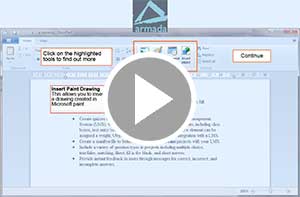
Adobe Captivate Find Replace Demo
Short demonstration showing how to carry out a simple find and replace operation in WordPad.
Interactive e-learning tutorial – video lesson followed by quiz 1
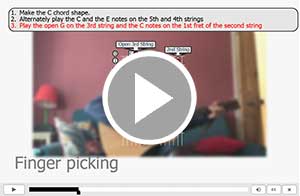
Interactive e-learning tutorial – responsive quiz

Interactive e-learning tutorial – forced navigation
In this example, the user is made to complete certain tasks before proceeding to the next stage.
Interactive e-learning tutorial – video lesson followed by a quiz 2

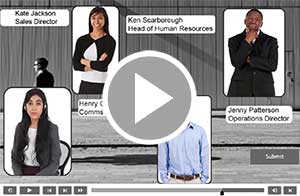
Interactive e-learning tutorial –quiz utilising drag and drop
Live online training
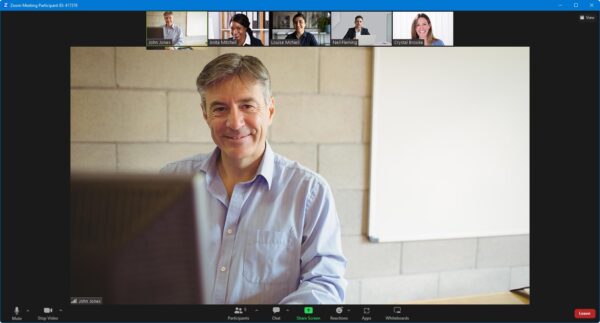
Online training lets you participate in a live Introduction to Captivate course from your place of work or home.
We do everything possible to make your online training experience as close as possible to actually being in the classroom. You can:
- See and hear our trainer, and the other delegates participating in the course…
- Watch our trainer demonstrate techniques in Introduction to Captivate.
- Interact by speaking, or using chat.
- Share your screen with our trainer, and allow them to take control to explain something.
All you need is an Internet-connected computer with…
- Two screens. If you don’t have two screens, you can use a second device such as another computer or tablet.
- Captivate installed. If you don’t have access to Captivate, we can usually send you a link to fully-functional trial software to download and install.
- A webcam and audio capability.
If there’s anything you’re not sure about we’ll do our best to help you. We won’t, however, be able to assist with your Captivate installation.
See Hardware recommendations for live online training for further details.
We provide everything else…
- Links to download the files, resources, etc. you’ll use in your course.
- A training guide. For most courses, you can choose from a printed copy that we post to you, or a PDF.
In the week before your course, we’ll send you an email containing everything you need to prepare for and participate in the training. We’re available in the days ahead of your course to assist if you need any help.
Please note that we are not able to record scheduled online courses for privacy reasons.
When you attend live online training, you’re participating in a real course, hosted by a real trainer, in real time
Sabrina S - March 2024
Amy I - September 2022
Jane W - February 2022
Victoria B - February 2022
Chris B - July 2021
Jo-Anne B - March 2021
Tom R - March 2021
James W - March 2021
Ben K - March 2021
George S - December 2020
Hannah W - November 2020
Hannah W - November 2020
Kylie T - November 2018
Mark S - May 2018
happy to go over anything again if needed. The room was comfortable and the technical equipment including computers and screens used to complete the course were good. I would recommend this course for Adobe Captivate training.”
Angela O - March 2018
Catherine R - November 2017
Tom M - November 2017
Darron H - November 2017
Mika S - November 2017
Kate A - November 2017
John C - November 2017
Matt V - November 2017
Chris R - November 2017
Laura H - November 2017
Susan C - November 2017
Charlotte R - November 2017
Donovan L - November 2017
Jason W - November 2017
Karly P - November 2017
Pauline M - November 2017
Adelaide N - November 2017
Jacqui N - November 2017
Ursula B - November 2017
Cheryl H - November 2017
Leslie C - November 2017
Luke M - November 2017
Brendan M - November 2017
Anne D - November 2017
Angie K - November 2017
Anthony S - November 2017
Richard B - November 2017
Chris B - November 2017
Lindsay C - November 2017