

- CAD design training
- Creative, video and animation training
- e-Learning and web development training
- Business, media and technical writing training
- Microsoft and AI training













































 Fusion Additive Manufacturing training
2 days
In centre:
£please call
Live online:
£please call
Key Details
Autodesk Fusion provides an end-to-end additive manufacturing workflow, integrating design, simulation and slicing within one platform.
This course covers all additive manufacturing workflows supported in Fusion, including hybrid manufacturing processes.
Sessions typically include:
- Introduction to additive manufacturing
- Slicing
- Types of additive in Fusion
- Process simulation
- Hybrid manufacturing
- Post processing
- Design considerations
Client’s requirements for additive manufacturing workflows are varying, and often complex. As such, we arrange for you to have a conversation with our instructor beforehand, then recommend the tailored training required to achieve your desired outcomes.
So, whilst we have a standard course outline, this is very much a list of topics typically covered rather than a rigid syllabus. We don’t necessarily cover them all, and additional topics can be included if requested.
Note: This course is not suitable for users of FFF/FDM extrusion printers or SLA printers. Whilst Fusion can easily be used with these printers, it is not the best solution and the slicers that come with the printers are often better. The value of Fusion additive comes with the more advanced additive types.
In-class or online
This course is available in-class at eight centres or live online.
Course times are 9.30am–4.30pm in both formats.
Upcoming course dates
Accredited Fusion training
Armada is an Autodesk Authorised Training Centre (ATC), and our Fusion Additive Manufacturing course is accredited by Autodesk.
Fusion Additive Manufacturing courses are hosted by Autodesk Certified Instructors from an engineering background with vast experience of using the application professionally. For further details, see Expert trainers.
Training guide and certificate
Course delegates receive:
- Training materials, to refer to throughout the course and use as a refresher after.
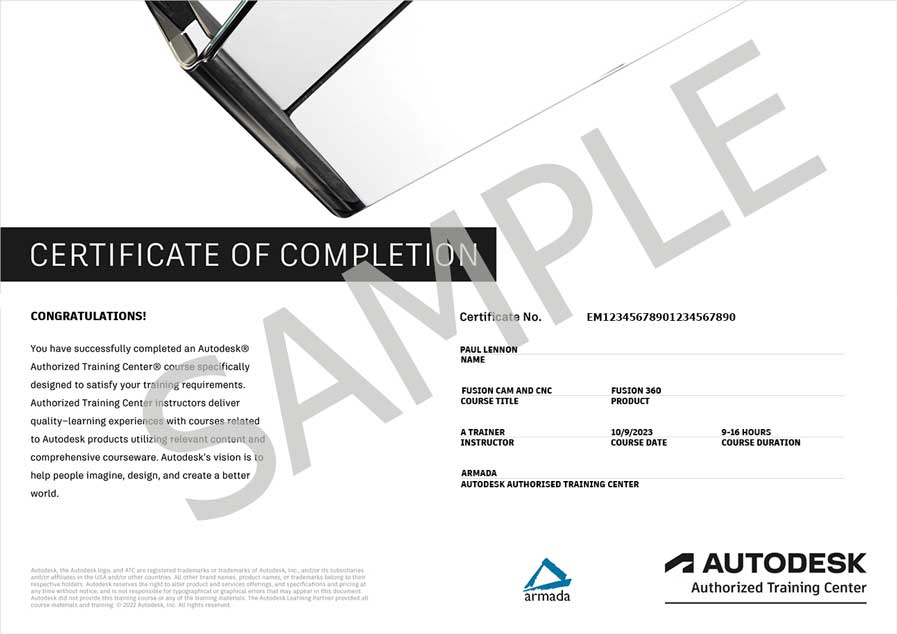
- An e-certificate confirming successful completion of an accredited Fusion Additive Manufacturing training course. Click here to see an example of the certificate you receive.
After course support
Following Fusion Additive Manufacturing training, delegates are entitled to 30 days’ email support from their trainer to help with any post-course issues. For further details, see Support.
Prerequisites
You should be familiar with the fundamentals of Fusion, i.e. have attended Fusion Essentials training or have equivalent knowledge through other means.
Fusion version
Training is based on the latest version of Fusion, running on Windows or Mac.
General information
Payment
Payment for Fusion training can be made by:
- Bank transfer. Please call 01527 834783 for our bank details.
- Card. Visa, Mastercard and American Express cards accepted. Payment can be made securely online or over the phone. Armada doesn’t record or store your card details.
- Buy now pay later. Available for private bookings; pay in 4 x interest-free fortnightly instalments. Facility provided by Clearpay. For details, see Clearpay terms of service.
Purchase orders
We accept purchase orders from UK registered companies with turnover £1m+, and public sector organisations.
Cancellations and transfers
You can cancel a booking on a scheduled training course, or transfer to a later course, without penalty providing you give us 10 working days’ notice. Any fees already paid will be refunded.
If you cancel a booking on a scheduled Fusion Additive Manufacturing course giving less than 10 working days’ notice, or request a transfer to a later course, a cancellation/transfer fee is payable. The fee charged depends on the notice period given. For details, see cancellation terms.
Different terms apply for the cancellation or postponement of an on-request course (one-to-one training or a ‘closed course’ for your group). For details, see course cancellations.
Terms and conditions
Training course bookings are subject to our terms and conditions.
Expert trainers
Oliver Briggs

As an Autodesk Fusion Instructor, Oliver specialises in all aspects of Fusion at all levels, from beginner to those who have been using Fusion for years. In a typical month, Oliver will provide training to individual hobbyists, schools, universities and organisations of all sizes.
Oliver has specialist knowledge of CNC Manufacture, with a strong focus on additive manufacturing. He provides training in areas including 3D Printing, 5 Axis Milling, 4 Axis Mill Turning and Water Jet Cutting.
Oliver provides consultancy services to several educational institutions, supporting them in developing their curriculums to make the best use of the software and equipment that they have available.
He also works closely with Autodesk’s Fusion, Marketing, Education and Content teams. You will likely see his videos on the Autodesk Fusion YouTube channel, as well as blogs, webinars and more.

Course content
Below is a list of topics typically covered in our additive manufacturing course. This isn’t a rigid syllabus. Depending on each client’s requirements, we may not necessarily cover all topics, and additional topics can be included if requested.
Introduction to Additive Manufacturing
- Overview of additive manufacturing in Fusion
- Additive vs Subtractive considerations
- Typical use cases for additive workflows
Slicing
- Introduction to the print setting library
- Body presets
- Basic additive settings
- Positioning your part
- 2D and 3D arrangement of parts for printing
- Adding supports
- Types of support
- Simulation of additive toolpaths
Types of Additive in Fusion
- Filament extrusion (FFF/FDM)
- Stereolithography (SLA)
- Power Bed Fusion
- Selective Laser Sintering (SLS)
- Directed Energy Deposition (DED)
- Multi-Jet Fusion
- Others
Process Simulation
- Introduction to process simulation
- Creating a study
- Interpreting results
Hybrid Manufacturing
- Combining Manufacturing processes in Fusion
- Additive + Milling Workflow
- Settings for optimal hybrid manufacturing
- Probing
Post Processing
- Introduction to post processors
- Exporting G-code for your CNC machines
- Exporting designs for external slicers
- Exporting 3MF and machine build code
- Viewing print statistics
- Setup sheets
- Simulating existing code
Design Considerations
- Design considerations for additive manufacturing
- Manufacturing orientation considerations and tools
- Repairing and preparing geometry for printing
Live online training
Online training lets you participate in a live Fusion course from your place of work or home.
We do everything possible to make your online training experience as close as possible to actually being in the classroom. You can:
- See and hear our trainer, and the other delegates participating in the course…
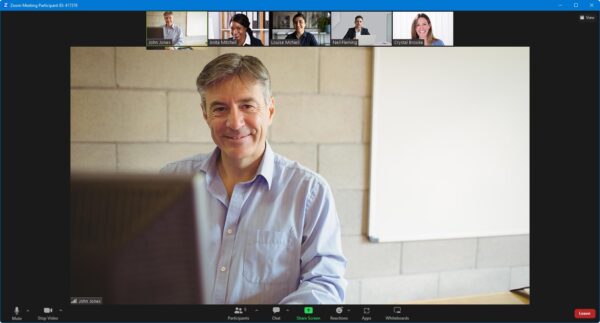
- Watch our trainer demonstrate techniques in Fusion.
- Interact by speaking, or using chat.
- Share your screen with our trainer, and allow them to take control to explain something.
Like our in-class courses, online Fusion Additive Manufacturing courses…
- Are presented by Autodesk Certified Instructors.
- Give you plenty of opportunity to carry out assisted, practical exercises using Fusion.
- Offer 30 days’ email support from your trainer.
All you need is an Internet-connected computer with…
- Fusion installed. If you don’t have a current subscription to Fusion, you’re entitled to a 30-day trial that’s ideal for participating in training. We’ll send you a link to this. If you’ve already used your trial, we can lend you a license for the duration of your course.
- A webcam and audio capability. If your computer running Fusion doesn’t have these, you can use a second device, such as another computer or tablet. See Hardware recommendations for live online training for further details.
If there’s anything you’re not sure about we’ll do our best to help you. We won’t be able to assist with your Fusion installation, but we can provide details for Autodesk support who’ll be able to help you with this.
We provide everything else…
- Links to download the files, resources, etc. you’ll use in your course.
- A training guide. For most courses, you can choose from a printed copy that we post to you, or a PDF.
In the week before your course, we’ll send you an email containing everything you need to prepare for and participate in the training. We’re available in the days ahead of your course to assist if you need any help.
Please note that we are not able to record scheduled online courses for privacy reasons.
When you attend live online training, you’re participating in a real course, hosted by a real trainer, in real time